How much time does your lab spend after the test: rebuilding methods, double-checking signals, and turning raw data into a report you can actually use? In QA/QC and repeatable R&D work, the bottleneck is usually everything around the run: method setup, in-test visibility, and producing traceable results without extra cleanup.
GenTest 3.0 is NextGen Material Testing’s software environment for NextGen universal testing machines, including both electromechanical and servo-hydraulic systems. It brings test execution, live data capture, built-in calculations, and reporting into a single workflow, so labs can move from setup to final documentation without patching together spreadsheets, screenshots, and manual report edits.
For teams running QA and QC work, production checks, or R&D comparisons, software choices show up fast in day-to-day reality: how quickly a new method can be created, how clearly the test is monitored as it runs, and how cleanly results can be packaged for internal procedures or customer-facing documentation.
What GenTest Is And Why Labs Choose It
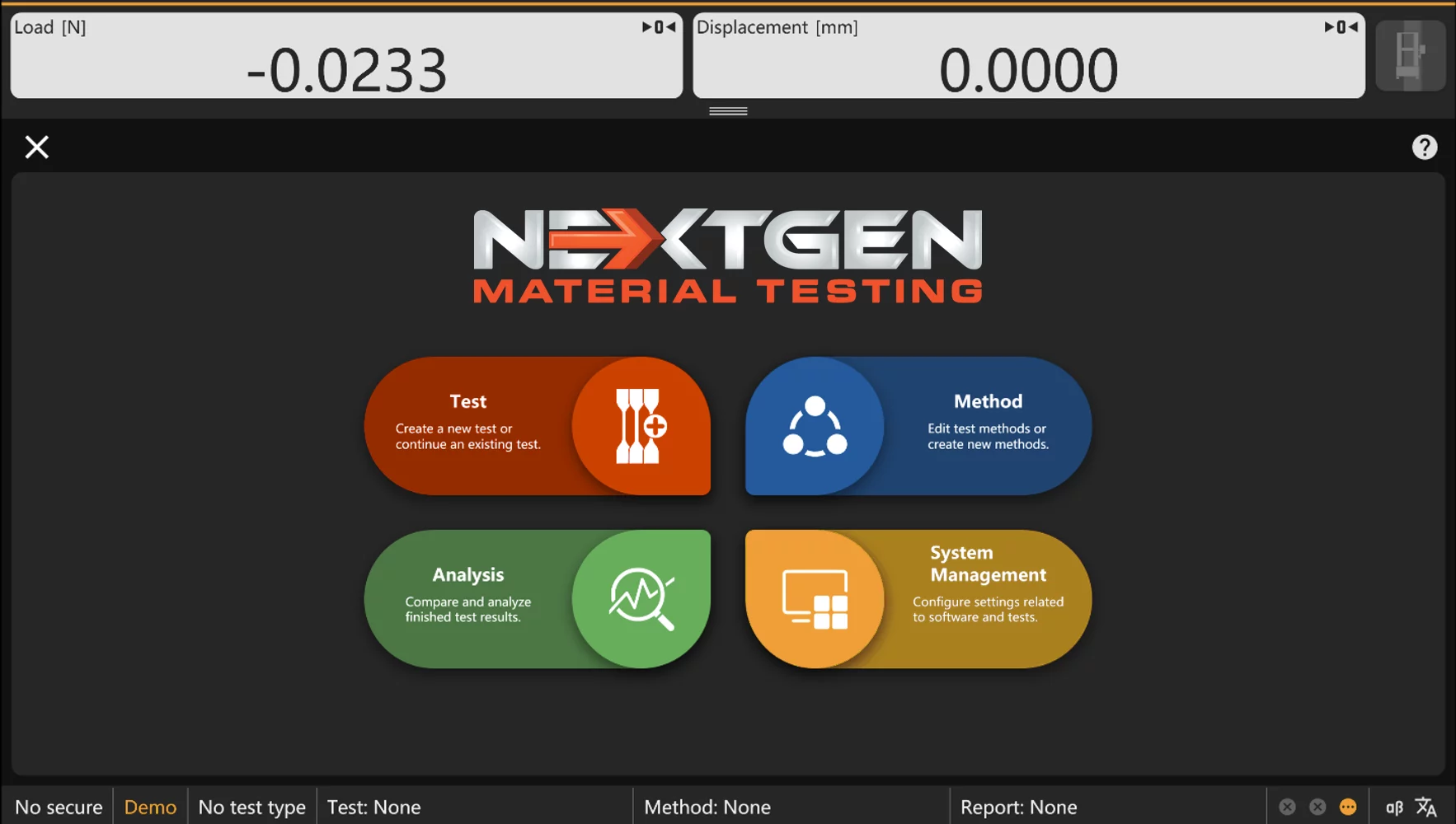
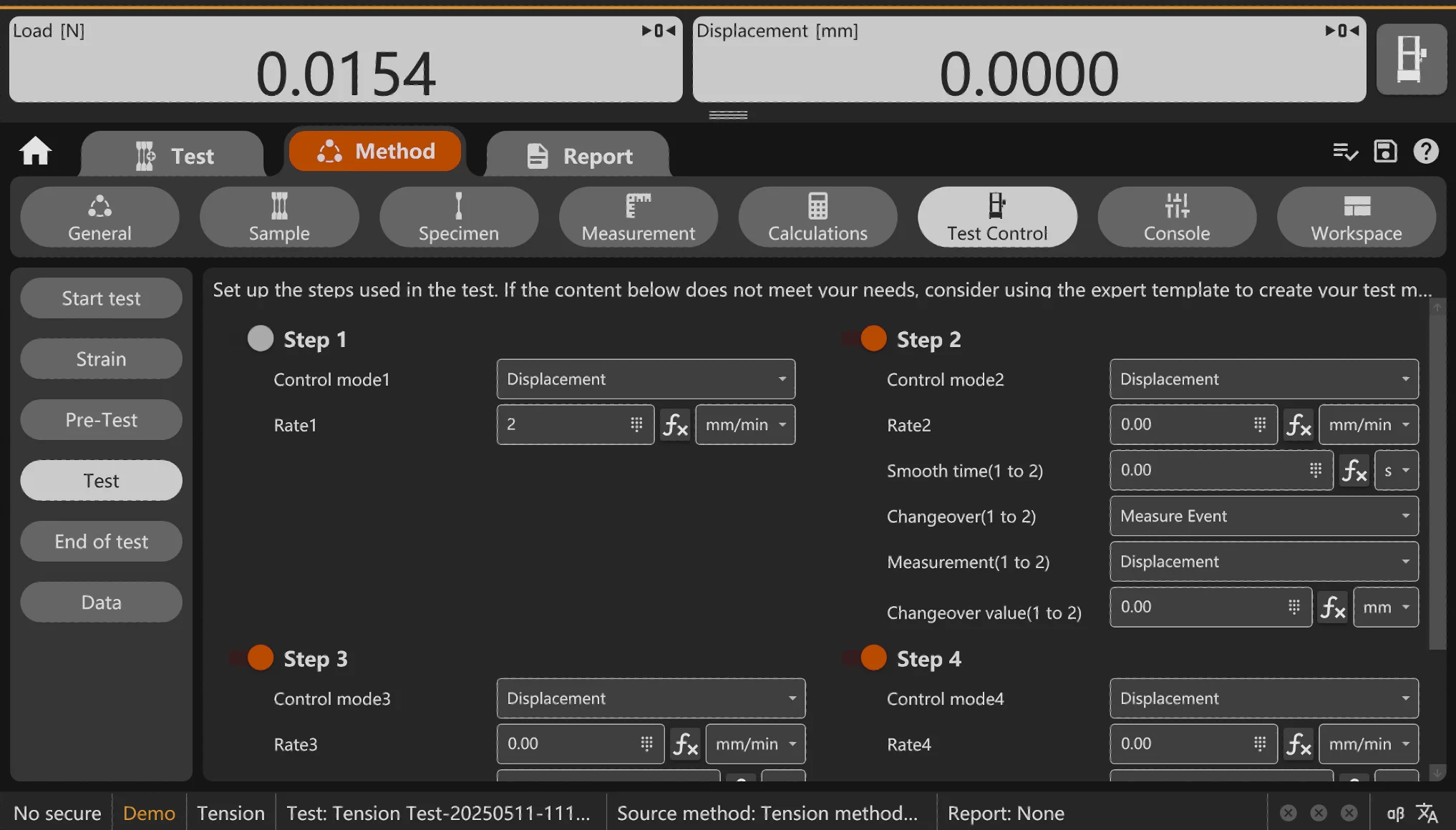
GenTest is method-driven software: tests run from defined methods so setup parameters, live channels/curves, calculations, and reports stay linked to the same test record. Instead of treating control, data capture, calculations, and reporting as separate steps handled by separate tools, GenTest ties them together through methods. You select the test you need, confirm parameters, run the sequence, and the outputs stay linked to the method and the sample record.
The practical value starts with speed and structure. GenTest includes an expanding standards library aligned with ASTM, ISO, DIN, EN, and BS, plus templates and example methods that help teams set up tensile, compression, bending, and shear tests without building everything from scratch. During the run, the software supports live multi-curve viewing, including stress-strain, displacement-load, load-time, and strain-time, so operators can track what is happening as the test progresses, not after the fact.
After the run, GenTest calculates common mechanical properties such as UTS, yield values (ReL, ReH, Rp), elongation, and modulus, with flexible unit handling across N, kN, kgf, lbf, MPa, and user-defined formulas. Reporting is designed for real lab deliverables, with configurable templates, branding options, and export paths that fit Word and Excel workflows.
Labs also choose GenTest for control and maintainability. Workspaces keep tests, methods, and report templates organized, user management supports access rights, demo mode allows training without a machine connection, and optional temperature controller integration supports furnace or chamber testing when required.
Supported Test Types And Typical Applications
GenTest 3.0 is built around the test types most labs run every week on a universal testing machine. For metals and many engineering materials, that usually means tensile testing first, then compression when you are verifying load-bearing performance, bending when you need a fast check on stiffness or failure behavior, and shear when the joint or interface is the real question. The software supports these core methods through its standards library and templates, so teams can start from a known procedure and adjust only what the job requires.
In practice, GenTest shows up in the workflows where you need results that are easy to defend, not just easy to produce. Metal labs use it for alloy certification work, heat-treatment checks, and comparison testing across batches. Composite and mixed-material programs lean on it when they need a clean record of how a laminate, insert, or bonded section behaves under load. And for many production environments, the biggest win is simply keeping testing consistent when the schedule is tight and the sample mix changes throughout the day.
Common use cases include:
- Incoming inspection: verify material properties before releasing a batch to production, using a standard method and a repeatable reporting format.
- Routine QC: run the same tests across shifts and lots, then trend results without rebuilding methods each time.
- Supplier qualification: compare materials from different vendors or heats using the same setup and calculations, so the comparison stays fair.
- R&D comparisons: evaluate process changes, new alloys, or different heat treatments with controlled methods and side-by-side curve review.
If you are deciding whether GenTest fits your lab, the key question is simple. Do you run these core mechanical tests often enough that method setup, live monitoring, and reporting quality affect your throughput? If the answer is yes, GenTest is designed for that daily workload.
Standards And Methods: How GenTest Helps You Work To Spec
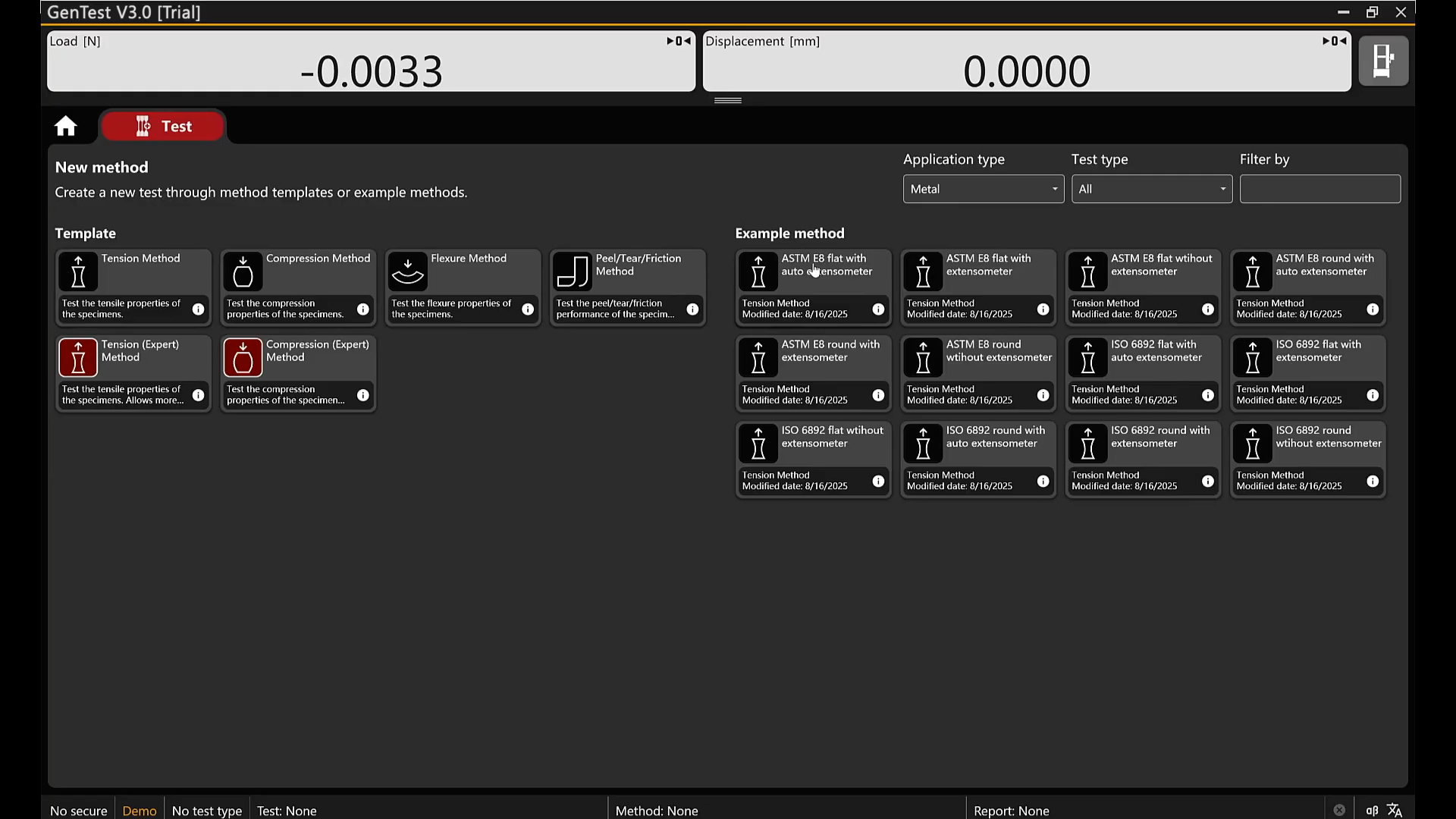
GenTest 3.0 is built around method-driven testing, which is exactly how most labs keep standards work under control. Instead of assembling settings manually each time, your team starts from a method, confirms the required inputs, and runs the test with the calculations and report outputs tied to that same method file.
GenTest’s standards library is designed to cover the standards most commonly referenced on a universal testing machine. Depending on your lab’s scope, that typically includes tensile, compression, bend, and shear programs aligned with major documents such as:
- ASTM E8 and ASTM A370 for tensile testing of metallic materials
- ISO 6892-1 for tensile testing of metals
- ASTM E9 for compression testing of metallic materials
- ASTM E290 for bend testing of materials
- ISO 7438 for bend testing of metallic materials
- DIN 50125 for tensile test pieces for metallic materials
- JIS Z2201 for tensile test pieces and specimen dimensions
- EN and BS method families used in many procurement and qualification packages
The practical workflow is straightforward. An operator selects a method, enters the specimen and test parameters required by that procedure, and runs the sequence. During the test, GenTest records the live channels and curves defined by the method. After the run, results and calculated properties remain attached to the same method and sample record, which makes review and reporting faster and reduces “where did this number come from” questions later.
Not every lab program maps cleanly to a published standard. Customer specs, internal qualification plans, and R&D comparison work often require custom procedures. GenTest supports that by letting teams build from templates and examples, adjust steps and parameters, and save those methods as controlled internal versions rather than one-off files living on one person’s desktop. That matters when the work needs to scale across shifts or multiple testers.
To keep standards work consistent across operators and shifts, labs typically standardize:
- method naming conventions and internal method templates
- approved units and any lab-specific formulas used in reports
- access rights (who can edit methods vs. run tests)
- approved report templates and required traceability fields
- workspace organization for methods, tests, and templates
Real-Time Control And Data Visualization
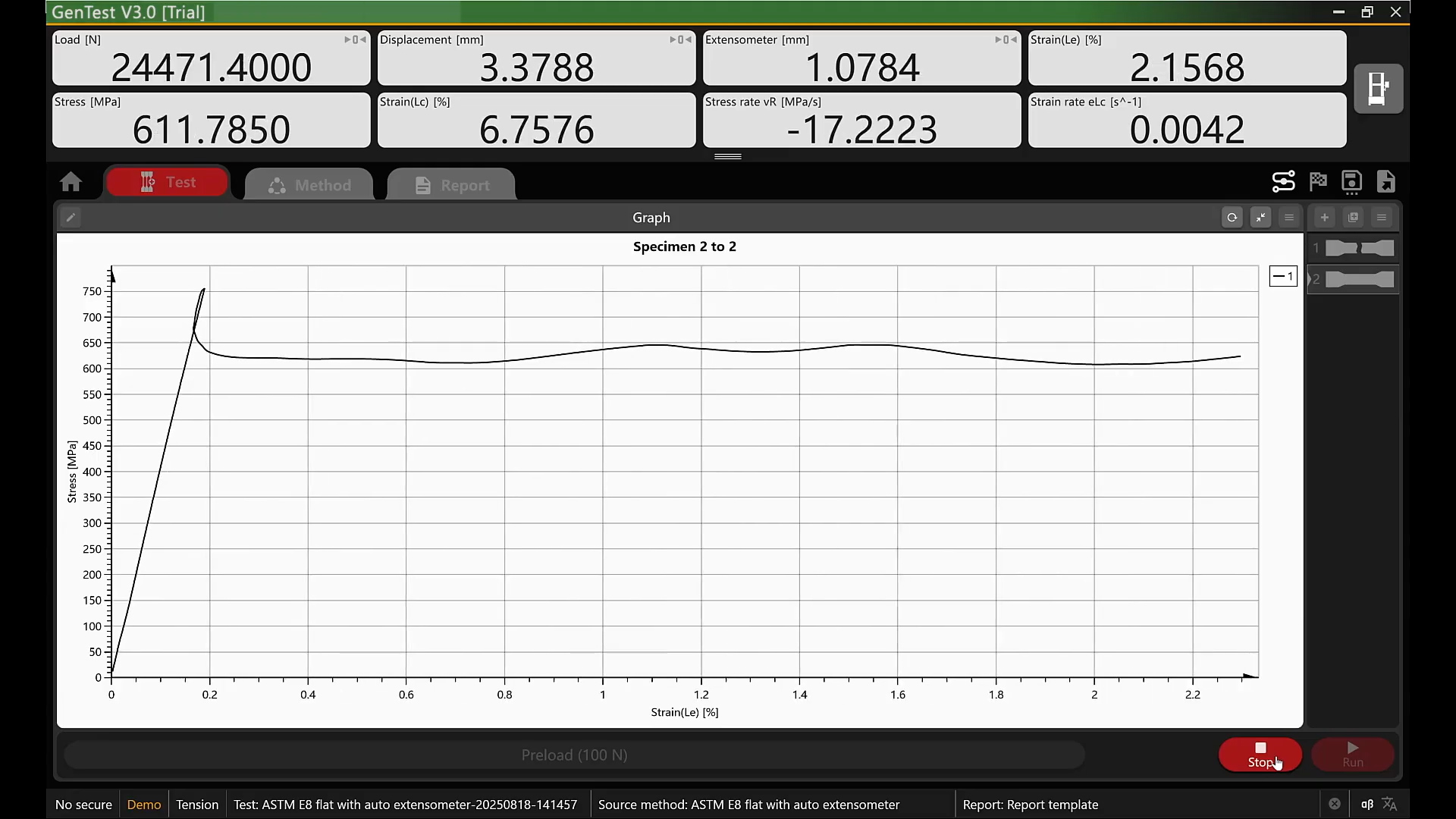
Universal testing is one of those processes where the important moments do not wait for the report. Yield begins to form, the curve starts to drift, an extensometer hits its range, or a specimen breaks earlier than expected. GenTest is designed to keep the operator in front of what is happening while the run is still in progress, with real-time monitoring and high-resolution data capture that does not force you to “find out later.”
A big part of that is how GenTest handles live curves. Different labs watch different signals depending on the method, the material, and what they are trying to confirm. Stress-strain is the obvious view for tensile work because it shows the material response as stress rises and strain accumulates. Displacement-load is often the quickest way to spot compliance effects or an unusual setup, because it highlights how the system is moving under load. Load-time is useful when you need to validate ramp behavior, transitions, or holds, and strain-time becomes valuable when strain measurement is the primary reference during the run. The point is not to overload the screen. It is to give the operator the right lens for the job.
Here is what that looks like in practice. An operator starts the run, keeps an eye on load and movement as the early portion of the curve develops, and watches for the first signs that the material is leaving the elastic region. If the curve shape begins to look wrong, you can catch it while the setup is still fresh in memory. If the test is behaving as expected, the live view becomes a simple confirmation that the method, channels, and pacing are doing what they are supposed to do.
This is also where live visualization protects throughput. A bad specimen, a slip, or a misconfigured channel can waste more time than the test itself, especially if the issue is only discovered after the run is over. When the operator can see the curve behavior, the stage progression, and the strain signal as it happens, it becomes much easier to stop early, correct the setup, and move on with confidence rather than burning through samples and then backtracking to diagnose what went wrong.
Calculations And Material Properties: From Raw Data To Results You Can Use
Raw curves are only useful up to a point. In most labs, the real deliverable is a set of mechanical properties that can be reviewed, compared, and reported without arguing about how the numbers were produced. Our software is built so those calculations live inside the method, not in someone’s spreadsheet. That matters because it keeps the logic of the test and the logic of the results in the same place. When the run is finished, the calculated values are already tied to the method and the sample record, ready to be pulled into reporting.
For metal testing programs, GenTest supports the property outputs labs ask for most often, including:
- Ultimate Tensile Strength (UTS): the peak stress reached during the test, typically used for qualification and comparative work across batches or heat treatments.
- Yield Strength Values: support for common definitions used in standards and internal specs, including ReL, ReH, and Rp, so labs can report the yield approach that matches their procedure rather than forcing a one-size-fits-all number.
- Elongation: a key ductility metric, usually reported as a percentage based on the method’s gauge length and end conditions.
- Modulus Of Elasticity: useful when stiffness and elastic behavior are part of the acceptance criteria or when you are comparing material conditions.
The advantage of keeping these inside the method is consistency of execution. When you run the same program across multiple operators or across different jobs, the calculation approach does not drift. The method defines what will be calculated and how it will be presented, and the report pulls from that same definition.
Units are another area where labs lose time if the workflow is not clean. GenTest supports common unit systems used in UTM environments, including N, kN, kgf, lbf, and MPa, and it also supports user-defined formulas when your lab needs a specific conversion or reporting format. This is especially useful when different customers, internal departments, or regional standards expect different unit conventions.
Q: What if your lab reports in different units depending on the customer or the standard?
A: GenTest lets you switch unit systems within the software and apply lab-approved formulas where needed, so the same method can produce reporting in the required units without rebuilding the workflow or manually converting results after the test.
Reporting And Deliverables: What You Get After The Test
In most labs, the test is not “done” when the specimen breaks. It is done when the result can be reviewed, filed, and shared without extra cleanup. That is why reporting is a core part of GenTest, not an afterthought.
Our software lets you build report templates that match how your lab already documents work. You can standardize the structure, define required fields, and apply company branding so every report looks like it came from the same system, even when different operators run tests. This is especially useful in routine QC, where the fastest report is the one that does not need editing before it goes into your records.
GenTest also supports export formats that fit common lab workflows, including Word and Excel. That matters when results need to move into internal documentation systems, customer packages, or engineering reviews. Instead of copying numbers, pasting screenshots, and reformatting graphs, the report output is generated from the same method and test record that ran the sequence.
A good report is not long. It is complete and traceable. In GenTest, reporting stays tied to the method and sample data, so reviewers can see which procedure was used, which specimen was tested, what curves were captured, and which calculated properties were reported. Operator and timestamp details stay attached to the run, and when you test multiple specimens under the same program, the reporting structure can carry summaries that help a reviewer spot variation quickly.
For buyers, this is the practical payoff. Less time formatting. Fewer manual steps. Cleaner records for audits and customer-facing documentation.
Operational Add-Ons And Deployment Basics
Some details only matter once you are close to purchase or planning installation. GenTest supports a straightforward licensing flow, a defined workspace for storing methods and reports, and standard connectivity to the machine controller. It also includes options that labs often ask about early, such as demo mode for training and support for temperature-controlled testing with a furnace or climatic chamber setup.
First-Time Setup And Licensing
GenTest can be explored in trial mode if you want to review the interface, build report templates, or validate internal procedures before going live. When you are ready to activate, the licensing flow is straightforward. The software provides a serial number and hardware ID, which you send to NextGen to receive a license key. Activation is completed inside the program through the license update option, followed by a verification step to confirm the license is applied.
Before deeper setup, it is worth setting the workspace location. The workspace is where GenTest stores tests, method files, and report templates. Choosing a secure, convenient path early helps avoid moving files later and keeps your lab’s structure clean from day one.
Hardware Connection And Safety Components
GenTest communicates with the machine controller over Ethernet. In typical deployments, the controller uses a default IP address and the PC is configured within the same IP range so the connection is stable without special network workarounds.
If your system includes safety components such as a safety shield, they are configured before operation so the software and the machine are aligned on safe run conditions. Some setups also use an LED status strip connected through a serial-to-USB link to provide quick visual feedback during setup and operation.
Demo Mode For Training And Validation
GenTest includes a demo mode that allows teams to explore the software without connecting to a machine. This is useful for onboarding new operators, standardizing method structure across a group, and reviewing reporting formats without occupying a testing frame.
Demo runs can use simulation files, so users can see how methods load, how curves behave during a run, and how results populate in reports. It is a practical way to shorten training time before the system is used in production work.
Temperature And Environmental Control
Some programs require controlled conditions, such as elevated temperature testing in a furnace or staged testing in a climatic chamber. GenTest supports setups that include a temperature controller so environmental control can be part of the workflow when the method requires it.
Depending on the configuration, hardware may be used for setup, calibration, and PID tuning. The practical goal is stable temperature behavior so the lab can run temperature-dependent methods without adding manual workarounds.
Learn More About GenTest
GenTest 3.0 is designed to keep UTM testing organized from method selection through analysis and reporting, inside the NextGen Material Testing ecosystem for both electromechanical and servo-hydraulic machines. If you are comparing software options or planning a new NextGen UTM setup, GenTest is the software layer that ties the workflow together and keeps test documentation clean.
If you want to learn more, you can find full details on the GenTest product page on our website. To ask more questions, discuss pricing and confirm the right GenTest configuration for your NextGen machine and test program, request a quote online or contact NextGen directly.